The till your tuckshop deserves.
Sell in USD, ZiG and EcoCash. Stock counts itself, missing stock gets flagged, and you see your profit every evening. It keeps working when the data runs out.
- Up to 30 days free
- Works on any phone
- USD, ZiG & EcoCash

- Tuckshops
- Spaza & kiosks
- School tuckshops
- Bottle stores
- Hardware counters
- Market stalls
- Egg & poultry sellers
- Gas refill points
Try it right here
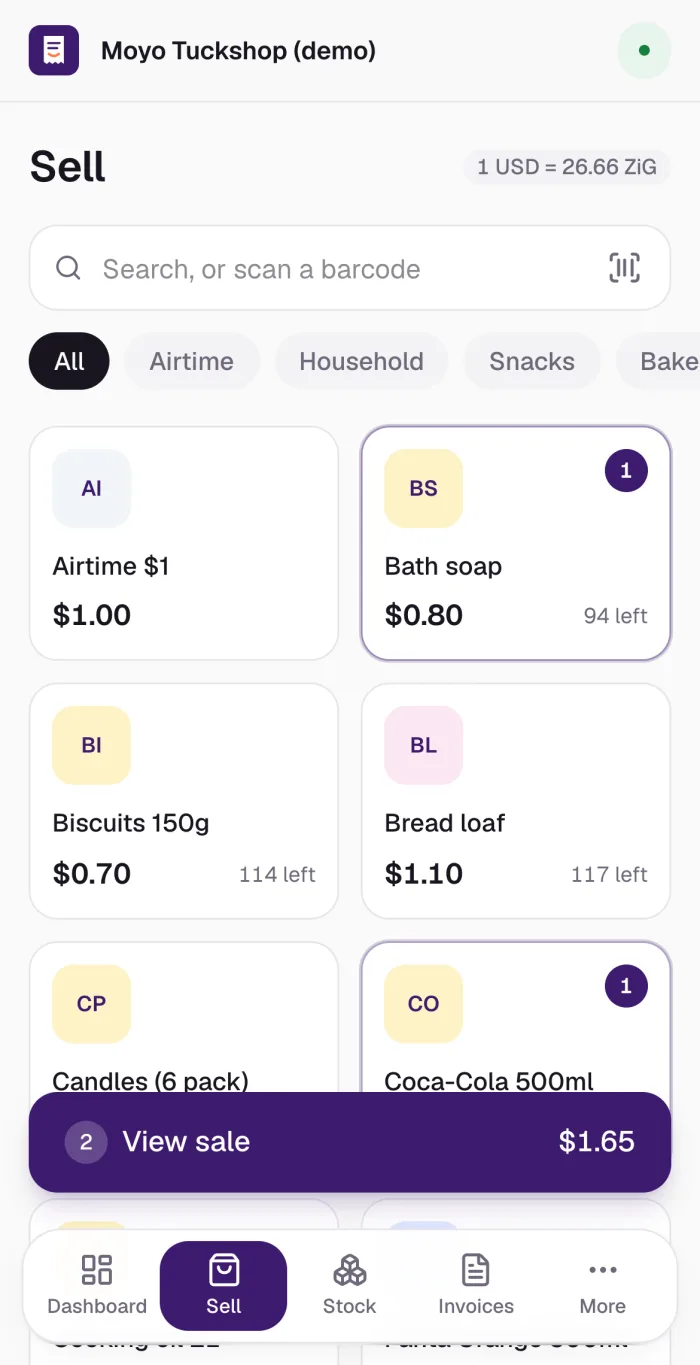
Ring up a sale. Mix dollars and ZiG.
This is how selling works in TuckTill. Tap items, type what the customer handed over, and see the change in both currencies.
- Bread loaf2$2.20
- Coke 500ml1$0.85
Demo only. Rate 1 USD = 26.66 ZiG.
See your shop move
Every sale shows up as it happens.
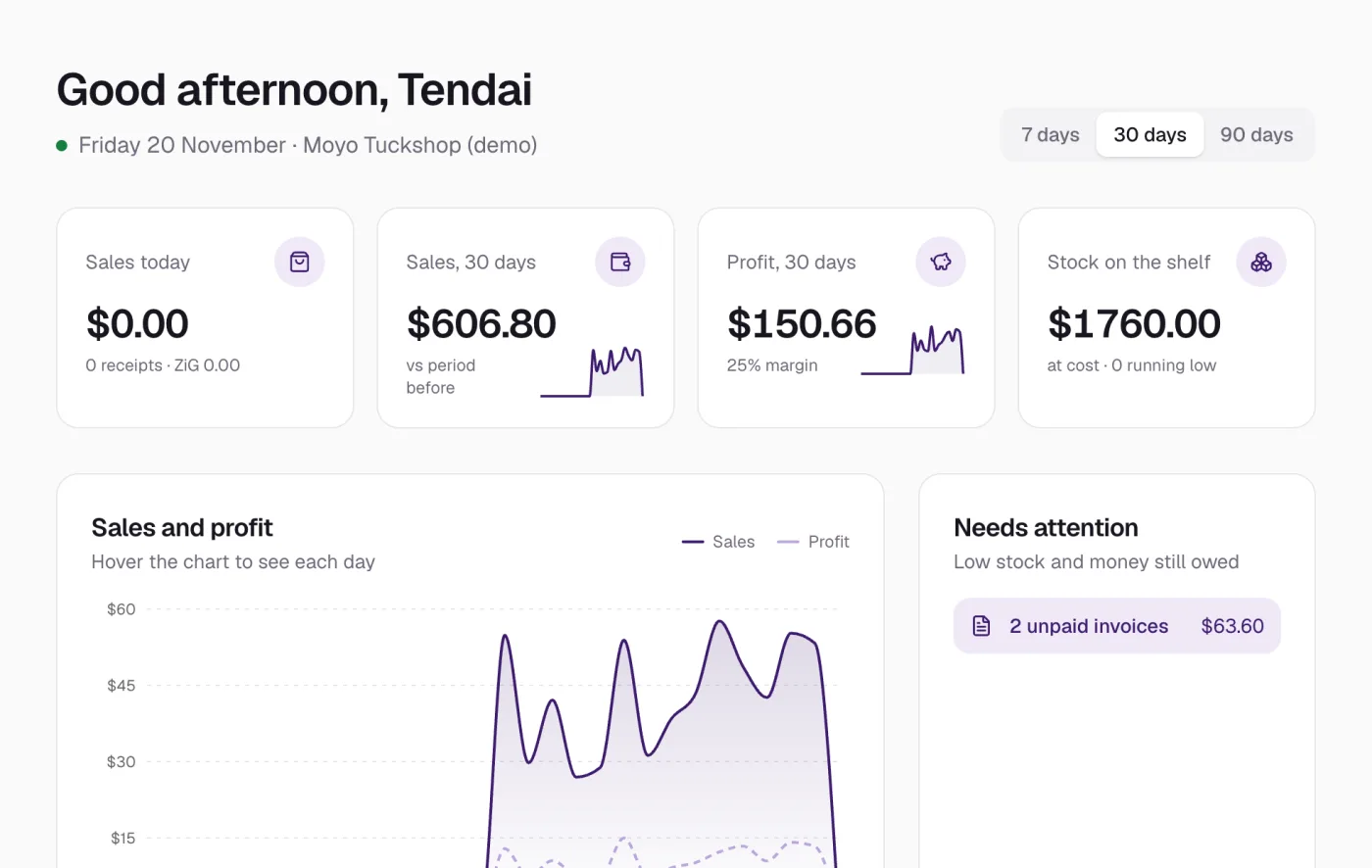
Sales, best sellers and anything that went missing, in charts that update while you sell. The numbers below are examples.
Everything at the counter
One app for selling, stock and money.
See your shop at a glance
Sales, profit, stock left and what to reorder, in charts you can tap. Know your busiest hour and your best seller.
USD, ZiG, EcoCash, mixed
Take any mix of payments. Change is worked out in both currencies at today’s rate.
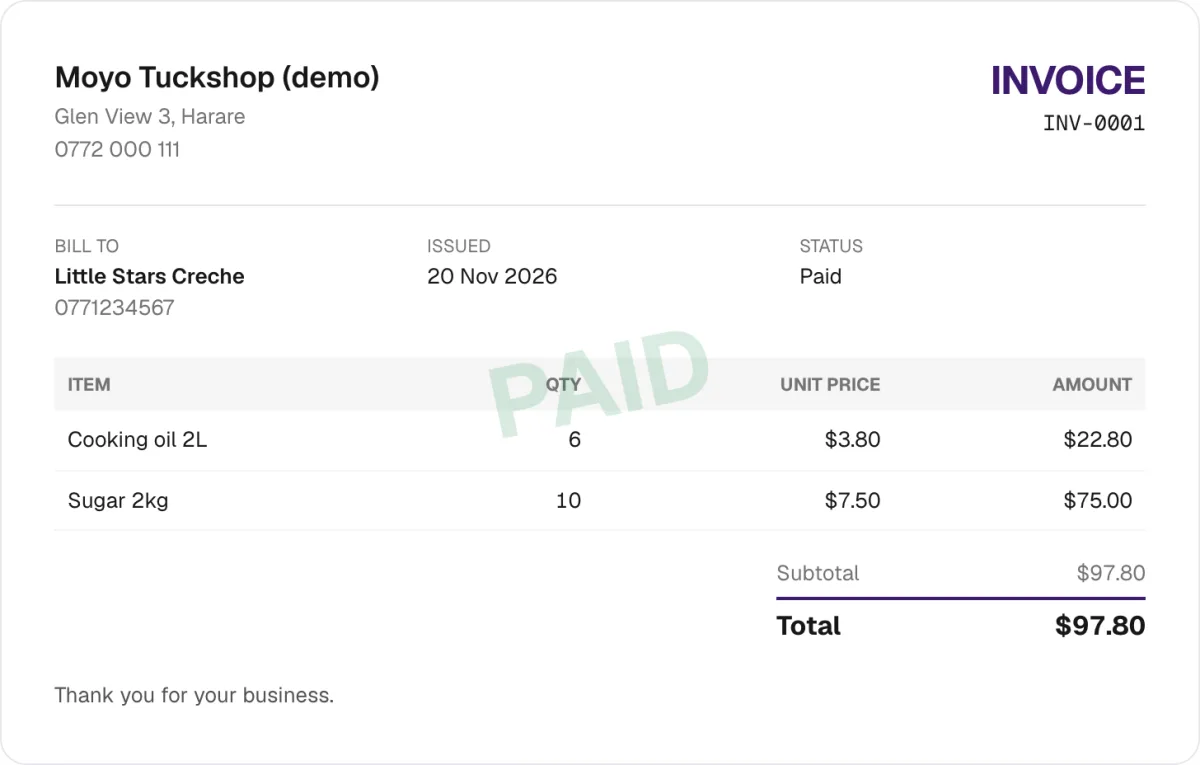
Invoices with your logo
Itemised invoices with quantity and price. Download as PDF, print, or send on WhatsApp.
Stock that adds up
Sales take stock off, deliveries put it back. Count in cartons. Missing stock is flagged with its value.
Every action, on record
Who sold what, who changed a price, who cancelled a receipt. The audit trail can’t be edited, and exports to Excel.
Snap Stocktake, coming soon
Take a photo of a shelf and TuckTill counts the drinks, oil and bread. You check, fix, and the model learns your shop.
How it works
Open your shop in five minutes.
From a container shop on the corner to a busy school tuckshop: enter what you bought, then sell.

- 01
Set up
Log in, set your own password, name your tuckshop and add your logo.
- 02
Stock in
Type everything you bought with quantity and price, or scan the barcodes.
- 03
Add helpers
Helpers sell and make receipts. You stay the only manager.
- 04
Sell and see
Product and quantity, check the receipt, then print, download or WhatsApp it.
Pricing
Free to start. The earlier you join, the longer it’s free.
Start with 30 days free if you join now. No card needed. You pay for each person who logs in: the owner and each helper.
The earlier you join, the longer your free trial. After shop 25: 7 days.
- Unlimited sales and receipts
- The owner manages; helpers sell
- Cash-up that catches missing money
- USD, ZiG, EcoCash and mixed payments
- Stock, deliveries and stocktakes
- Invoices and receipts as PDF with your logo
- Dashboard, reports and Excel exports
- Staff logins and audit trail
- Works on any phone or computer
Take a photo of a shelf and TuckTill counts and labels what it sees. You check the result and fix anything wrong, and it learns your shop’s products. A stocktake goes from an hour to about ten minutes.
What you’ll pay, month by month
Same price every month. Tap a month.
Month 1 starts with your 30-day free trial.
Two ways to use TuckTill
One shop on your own, or a business set up by TuckTill.
For one owner running one shop.
- Sign up yourself in five minutes
- Sell, stock, stocktake and reports
- Receipts and invoices as PDF
- Add helpers with their own logins
- Works on any phone
For owners who want it set up and supported.
- TuckTill creates your business and loads your products
- You get the owner login and run your own team
- Managers and cashiers with their own permissions
- Audit trail, tickets and Excel exports
- Help from the TuckTill team when you need it
Look professional on every receipt.
Upload your shop logo once. It appears on every receipt and invoice, with your address and phone. Send a PDF on WhatsApp, or print it on the spot.
Questions, answered.
The first 5 shops get 30 days free, the next 10 get 14 days, and the next 10 get 7 days, so join early. After that it’s $5 a month for each person who logs in, the owner and each helper. That’s it: $5, no price rise later. Snap Stocktake, the AI photo count, is an extra $5 a month.
Yes. Add each one as a business line for $2 a month, and its money and stock stay separate from the tuckshop. Or keep everything in one shop for free and just use a different category. A second tuckshop somewhere else is $3 a month.
Yes, a small one: pay for 3 months at once and save 5%. Invite friends too: when 10 shops join with your code you get 1 extra person free, with all features, and if 20 shops join in one month you get 2 months free.
Pay by EcoCash, then send a screenshot of the message in TuckTill. TuckTill checks it and your account carries on. If a payment is late you get one extra day before the shop locks.
Helpers sell, make receipts and invoices, and see stock. Only the owner adds stock, changes prices, counts stock, sees reports and manages the team. The owner gets a notification for helpers’ sales and anything unusual, like a cancelled receipt.
Android and iPhone apps are coming soon. For now, use TuckTill on the web: it works in any phone browser, and you can add it to your home screen so it opens like an app.
Selling, stock in and stock counts are saved on the phone and sent when you tap Sync. You need data to log in, and to see reports and fresh numbers.
Yes. Prices are kept in USD and TuckTill shows the ZiG amount at the rate you set each day. A customer can pay part in USD cash and part in ZiG or EcoCash, and TuckTill works out the change in both.
You add them with their phone number and TuckTill gives you a temporary password to share. When they log in the first time they must choose their own, so every sale is recorded under their name.
Yes. Every sale, cancelled receipt, price change and stock count is in the audit trail with the person’s name and the time. Nobody can edit or delete it.
Yes. Receipts and invoices are real PDFs with your shop logo. Download them, send them on WhatsApp or print to a Bluetooth receipt printer.
Yes. TuckTill can set up your business for you, load your products and hand you an owner login. You then add your own staff and run it day to day.
Android and iPhone apps are on the way.
Until then, use TuckTill on the web. It works on any phone, tablet or computer with a browser, keeps working with no data, and syncs when you’re back online.
It then opens like an app, without the browser bar.
- 1Android (Chrome). Open TuckTill, tap the ⋮ menu, then “Add to Home screen”.
- 2iPhone (Safari). Open TuckTill, tap the Share button, then “Add to Home Screen”.
- 3Log in. Use your phone number and password. TuckTill keeps you signed in while you work.
Ready to run your shop properly?
Set up takes five minutes. Bring your phone and a list of what you sell.
Set up my shop